How to copy a website's design: DevTools vs ChatGPT vs Slicer
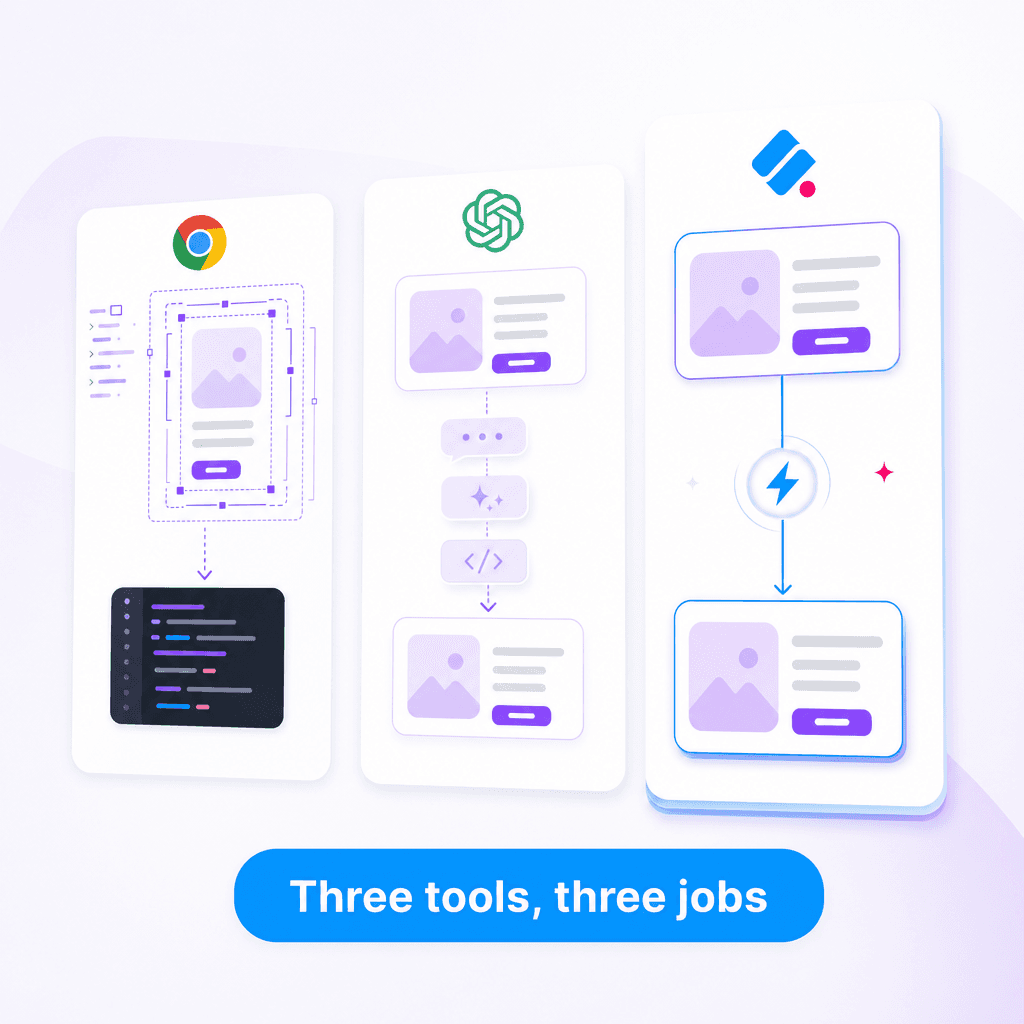
You see a component on a website. You want it in your project. There are three real ways to get it there: open DevTools and reverse-engineer it, describe it to an AI like ChatGPT or Claude and hope for the best, or use a purpose-built extraction tool.
Each one has a real use case. None of them is best for every situation. Here's an honest comparison.
The three approaches
| Approach | What you do | What you get back |
|---|---|---|
| DevTools | Inspect element, read CSS, copy HTML, reconstruct manually | A pile of computed styles you have to assemble |
| ChatGPT / Claude | Describe the component in natural language or paste a screenshot | An imagined approximation based on the description |
| Slicer | Click the component in your browser | The actual component as React, ready to drop into your app |
DevTools
What it's good at:
- Free, already installed in every browser
- Best tool for understanding why something looks the way it does
- Lets you experiment with values live before committing
- Surgical edits to one specific style
What it's bad at:
- Slow. A complex component takes 30–90 minutes to fully reconstruct
- Hashed class names (
.sc-bczRLJ,css-1a2b3c) make it nearly impossible to follow CSS-in-JS or CSS modules - Animations are spread across
@keyframes, classes, and computed values — you have to find all three - Hover, focus, and active states aren't shown until you trigger them, and it's easy to miss one
- No clean output — you copy CSS one rule at a time and stitch it together
Use it when: You want to understand how a specific effect actually works, debug your own site, or make a one-off tweak.
/* What DevTools gives you */
.sc-bczRLJ {
  padding: 24px;
  border-radius: 12px;
  /* ...28 more computed properties to dig through */
}
.sc-bczRLJ:hover {
  /* you'll have to figure out which states are which */
}
ChatGPT / Claude
What it's good at:
- Fast to start — just type a description
- Good at general patterns ("a pricing card with three tiers")
- Can adapt to your stack if you tell it what you use
- Free or cheap
What it's bad at:
- Hallucinates specifics. Asks you for "a modern hero" and gives you the average modern hero from its training data
- Cannot match a specific reference accurately, even from a screenshot — proportions, exact colors, animation timing all drift
- Doesn't know about hover states or interactions you didn't describe
- Loses fidelity with each iteration
Use it when: You don't have a specific reference in mind, or you're prototyping an idea before committing to a design direction.
You: "Make me a pricing card like Linear's"
ChatGPT: [generates a pricing card that's vaguely Linear-shaped
but wrong on spacing, gradient treatment, hover physics, and
border radius — and uses placeholder colors]
Slicer
What it's good at:
- Captures the actual component, not an interpretation of it
- Pulls hover states, animations, transitions, and responsive breakpoints automatically
- Outputs clean React + Tailwind, AI-generated for production-ready code
- AI Prompt export drops directly into Cursor, Claude Code, v0, or Lovable as a reference
- Canvas step lets you remix with your brand before exporting
What it's bad at:
- Requires a Chrome extension install
- Won't help you understand why a design works — only what it is
- Can't extract from native apps or non-web sources
Use it when: You have a specific component in mind on a real website, and you want it in your codebase fast.
Side-by-side: time to working component
Take a real example: a feature card with an icon, title, description, hover lift, and color transition on the icon background.
| DevTools | ChatGPT | Slicer | |
|---|---|---|---|
| Time to first version | 30–45 min | 5 min | 30 sec |
| Hover state matches | Manual, often wrong | Approximated | Captured exactly |
| Animation timing | Manual measurement | Hallucinated | Captured exactly |
| Responsive breakpoints | Manual at each width | Often missed | Captured |
| TypeScript types | Write them yourself | Inconsistent | Generated |
| Iterations to "right" | 3–5 | 5–10 | 0–1 |
When each one wins
Pick DevTools when:
- You're debugging your own site
- You want to learn how a specific technique works
- You need to inspect network requests or runtime behavior
- The component is on a site you don't have access to as a user (rare)
Pick ChatGPT / Claude when:
- You're brainstorming and don't have a specific reference yet
- You want a generic implementation of a common pattern
- You're working in a niche framework Slicer doesn't support
- The component you want is something you can describe perfectly from memory
Pick Slicer when:
- You have a specific component in mind on a real website
- You care about hover states, animations, and the small details
- You're using AI coding tools (Cursor, Claude Code, v0, Lovable) and want better prompts
- You want it done in 60 seconds, not an hour
The combined workflow
The fastest, highest-quality flow combines all three:
- Slicer — extract the component you want as a starting point
- ChatGPT / Claude — adapt the structure to your data model, naming, and conventions
- DevTools — verify the final result in your own site, debug edge cases
You skip the part each tool is bad at and use each for what it actually does well.
The honest summary
DevTools is for inspection. ChatGPT is for ideation. Slicer is for extraction.
If you're trying to copy a real component from a real website, the manual reverse-engineering approach is just slower and less accurate then purpose-built tooling. That's not a knock on DevTools — it's a different tool for a different job.
Try Slicer on the next component you'd otherwise reach for DevTools to copy. Free for a few extractions a month, no credit card.